
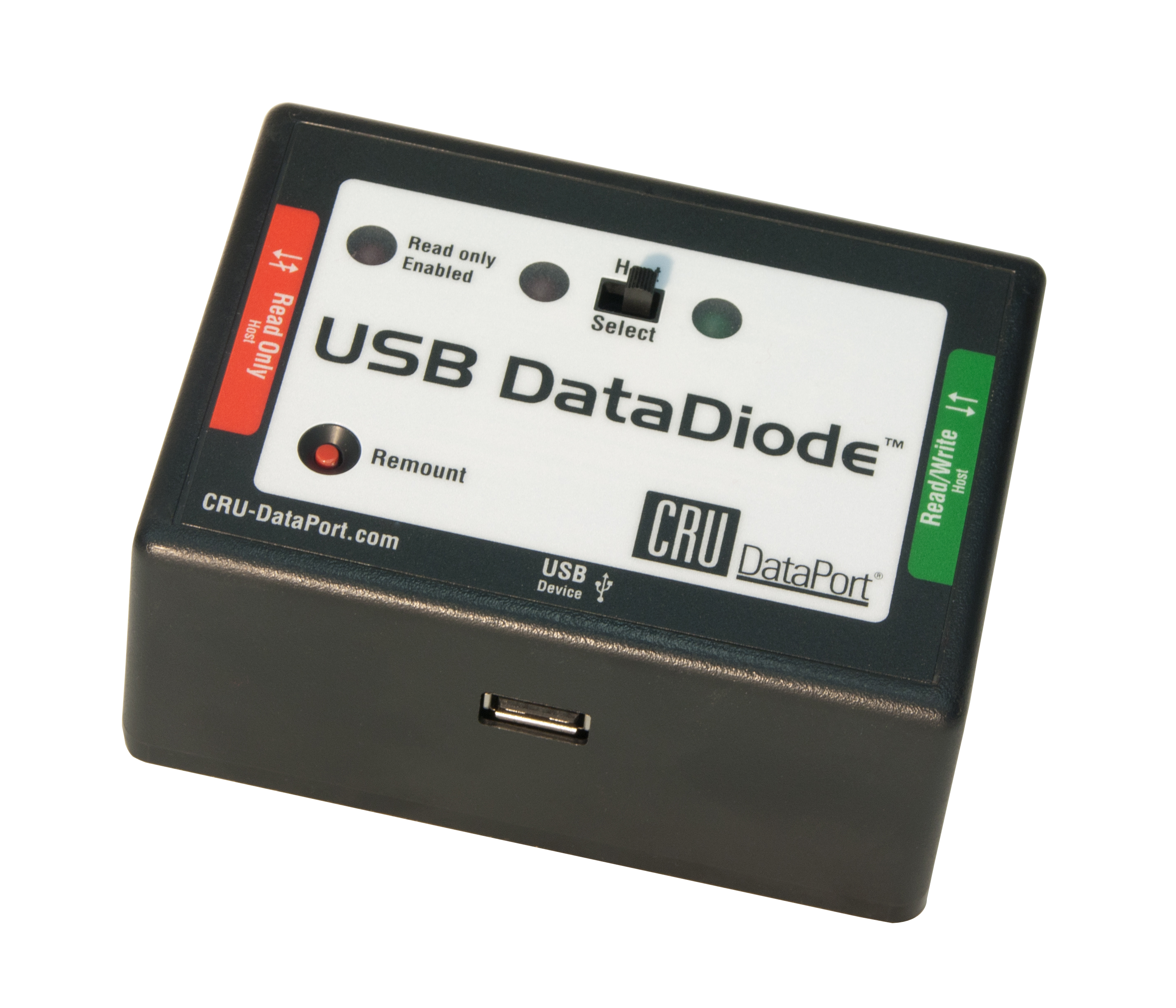
USB DataDiode
Move data from an insecure network to a secure network
Connects to two computers with one read/write connection and one read-only connection
| Part Number | 31290-0192-0000 |
| Product Name | USB DataDiode |
| Host (I/O) Ports | (2) USB 2.0: up to 480 Mbps |
| Drive Types Supported | USB Thumb Drives USB drives via USB cable |
| Number of LEDs | 3 |
| Description of LEDs | Read-write, read-only, power |
| Operating system compatibility | Windows 10 and 11 Windows Server 2022, 2019, 2016, and 2012 product families macOS 11 “Big Sur” or newer Red Hat Enterprise Linux and Ubuntu LTS |
| Bus power | Yes |
| Dimensions | 4.33" x 3.11" x 2.09" (110mm x 79mm x 53mm) |
| Weight | 0.35 lbs. (0.16 kg) |
| Write Blocking | Yes |
| Write Blocked ports | USB 2.0 Mass Storage Devices |
| Compliance | RoHS, TAA |
| Warranty | CDSG provides a 2-year limited warranty for this product. |
| Technical Support | Your investment our product is backed up by our free technical support for the lifetime of the product. If you need to contact us for any reason, visit our website. |
About USB DataDiode
Lawyers, forensics investigators, and corporate IT staff who want to transfer data from an unsecured network to a secured network rely upon the CRU® WiebeTech® USB DataDiode™ to protect data.
In network environments with secure (classified) networks, rules exist to keep the secure network isolated from less secure (unclassified) networks. USB DataDiode ensures connection to only one host at a time, so that secure and non-secure networks are never connected to each other.
USB DataDiode is connected to two hosts with two USB cables. It's easy to select the desired host with the flip of a switch.
Prepare data to copy from the unsecure host with full read/write access to the USB device connected to USB
DataDiode.
Press the switch on USB DataDiode to terminate the connection with the unsecure host, and begin a connection with the secure host.
The secure host now can copy data, but cannot write any data back to the USB device, as this host has a read-only connection.
Use the included Forensic Software Utility to display information about connected devices and enable you to save the information in common text formats when in Read-Only mode.
Additional features:
- Compact design
- Plug-and-use operation
- Free lifetime phone tech support
Whether you’re a corporate IT manager, forensic investigator, or lawyer, the USB DataDiode is a valuable part of your investigation toolkit.
- Convenient USB connection
- Read-only, reliable evidence protection
- Access to different USB devices
Included Items
- (2) USB cables
- Quick start guide
Documentation and Downloads

| USB DataDiode
Connects to two computers with one read/write connection and one read-only connection |
|||
| Black part #: 31290-0192-0000 |
$279 Call 1-360-816-1800 or email us for availability |
||
Need help? Talk with our sales team.
Interested in speaking to a WiebeTech representative about your needs? We’re here to help you find the forensic device that fits your requirements.